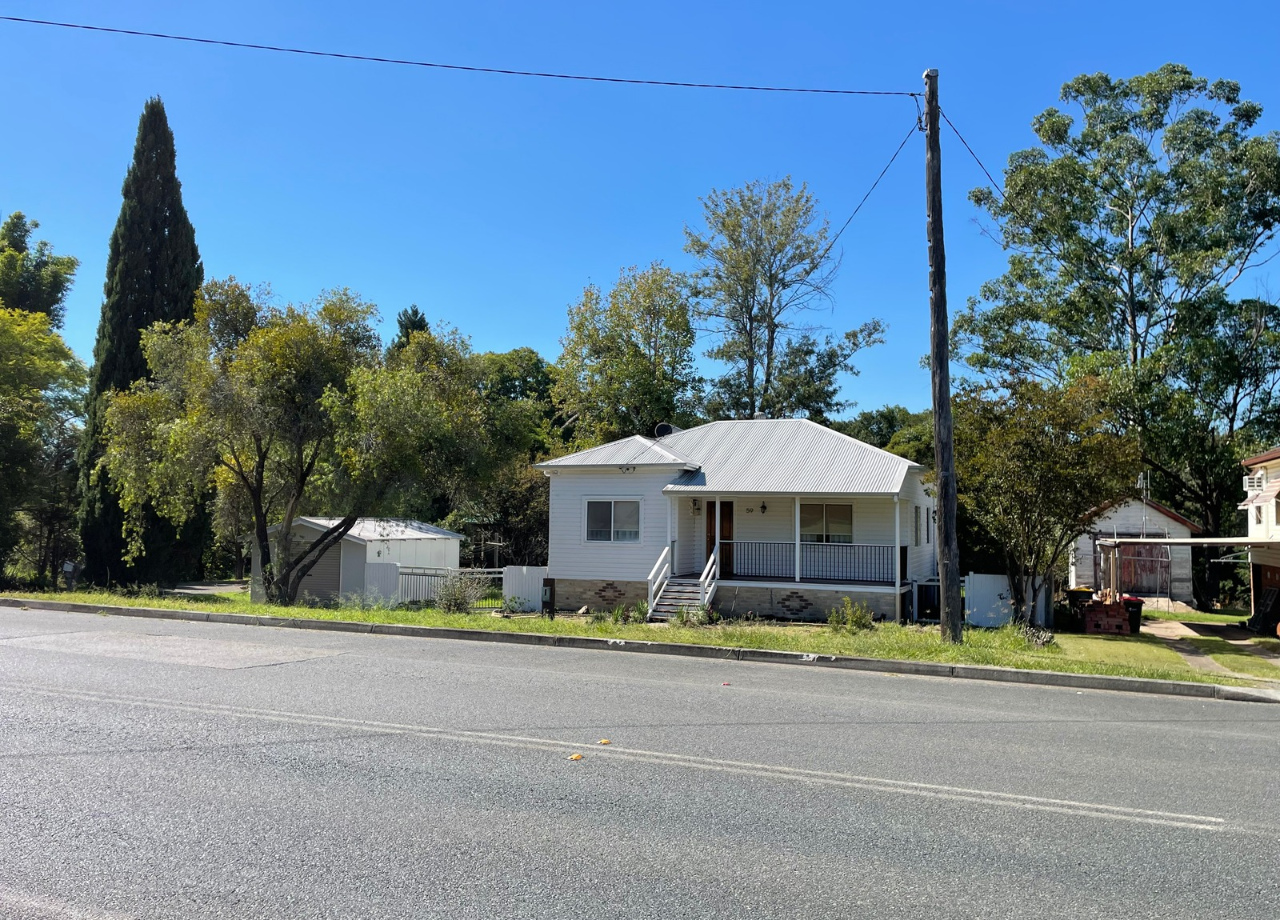
News, insights, and case studies from Charlie Property — real stories, real numbers, and what we're learning as we go, exclusive for Money Partners.
I'm sharing a behind-the-scenes look at how I manage 40 to 60 property projects remotely using ClickUp. From keeping tradies accountable to managing invoices, team tasks and onboarding, here's a look at the systems I've built to keep Charlie HQ running without having to visit every site.

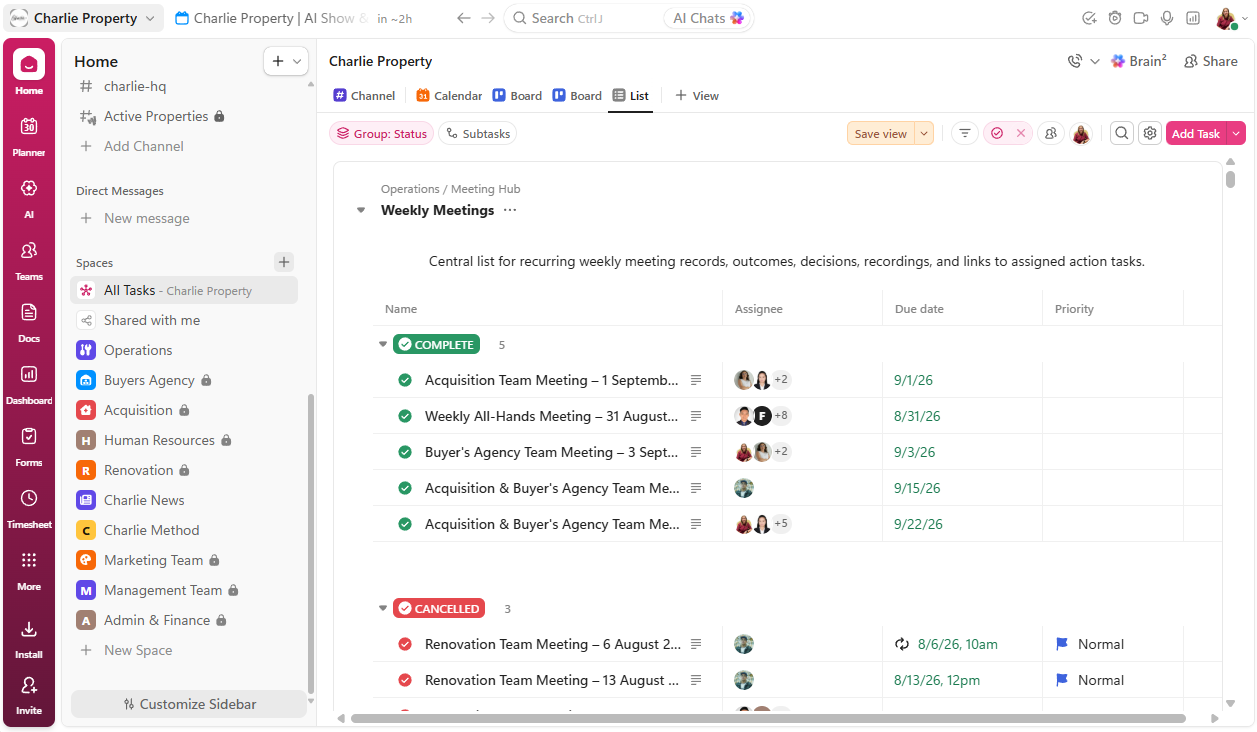
A look inside our ClickUp workspace, where every department has its own dedicated Space, keeping projects, tasks, processes and team workflows organised in one place. From Acquisition and Renovation to Marketing, HR and Finance, this is where the whole business comes together.
A quick note before we start. What's below is only going out to money partners on my deals. I don't share this stuff anywhere else at the moment, and I probably won't for a while. You've backed me, so I want you getting the best experience and the most value I can give. Bookmark this one.
Two years ago I was one bloke with one flip, a notes app on my phone, about four hundred unread WhatsApp messages, an inbox that was out of control, and I was constantly on the phone.
Today we've got somewhere between 40 and 60 projects on the go at any time, 15 people in the office (remotely), and tradies working across three states... and I run all of it from my laptop. A MacBook and an iPhone, that's it. I've been to maybe five of our forty-odd sites. One of them is five minutes from my house and I still haven't walked through it, or even driven past it.
People assume that means I'm some kind of genius at juggling. I'm not. If anybody knows me, they know my memory is next to non-existent!
Interestingly, I think that's what forced us to build systems in the first place. If I can't remember it, every detail has to be documented somewhere, in a system, so I can't miss it.
And if you asked me what single thing holds Charlie HQ together, it's not me, and it's not even the team. It's a piece of software called ClickUp.
So this week I'm opening the lid on exactly how we use it. Carla's dropped real screenshots in. Nothing here is theory.
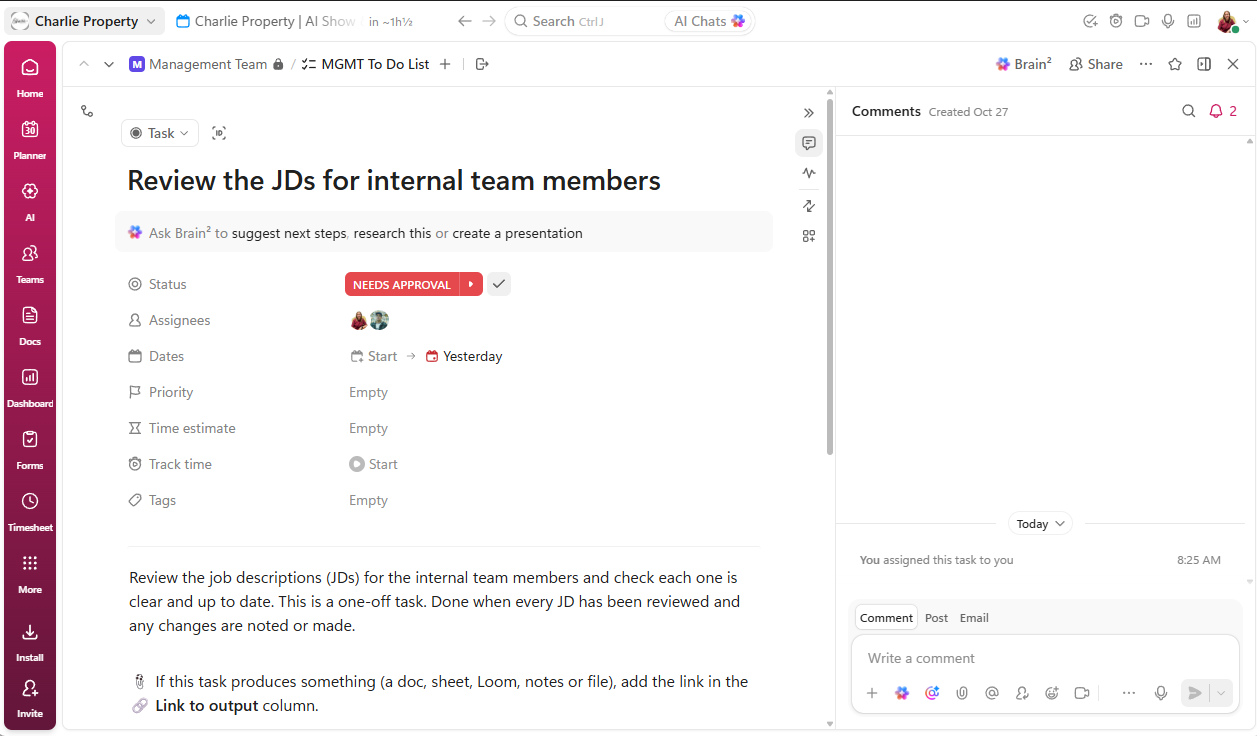
Every task in ClickUp has to have one owner, a real due date, and a line in the description that says what "done" looks like. No exceptions.
Early on, everything ran on WhatsApp. Every project had a group. Tradies sent photos in there, invoices in there, questions in there, memes in there.
It worked fine with one house. With ten it was a nightmare. A photo from the Moree kitchen would sit between a plumber asking about a tap in Geelong and someone's dog photo, and nobody could ever find anything again.
So we moved everything off it. Tradie photos now go into a Google Drive folder per project every night, and the rule is simple... no photos, no payment. The odd photo still sneaks into WhatsApp and gets dragged across, but it's not where the business lives anymore.
That was the first time I properly understood something I now say to the team all the time. Fix the process, not the problem.
Chasing one missing photo is fixing a problem. Making it impossible for a photo to go missing is fixing the process.
The whole stack is smaller than you'd think:
I'll do a proper deep dive on each of the others over the coming weeks. Today is just ClickUp, because it's the one that makes the rest of them work together.
ClickUp is organised into what they call Spaces. We have one Space per department, and every bit of that department's work lives inside it. Right now that's:
The reason it's set up by department, not by person, is simple. People change. Departments don't.
If someone leaves, their whole workload is sitting in one Space with every task, due date and SOP attached. The next person opens it on Monday morning and keeps going. Nothing lives in anyone's head.
Joe, our COO, set this rule in October and it's been the biggest shift in the business this year.
Every task in ClickUp has to have one owner, a real due date, and a line in the description that says what "done" looks like. No exceptions.
It sounds basic. But think about how most teams work... "Hey can someone look at the Drysdale roof?" goes into a group chat, three people see it, everyone assumes someone else has it, and it's still sitting there two weeks later.
With one owner and a real date, there's no "someone". There's a name.
The other rule that came with it is Slack is for conversation only. If anyone asks for work or a status update on Slack, it has to link to a ClickUp task. Slack is the hallway. ClickUp is the desk.
Why does nothing sit untouched for more than 7 days?
Every task moves through five statuses. To Do, In Progress, Needs Approval, Rescheduled, and Done.
Needs Approval is the one I live in. Anything that needs my sign off or a manager's sign off lands there, so I can clear it in one sitting instead of chasing it across six apps.
And if a task hasn't been touched in seven days, it gets flagged. The owner has to either move the date (and say why), move the task to someone else, or close it. No task is allowed to just quietly rot.
That one rule alone is why I can go and walk Viola at lunch without my phone buzzing.
Now every new hire goes through a full onboarding list in ClickUp. It's a checklist with every step from day one, who signs off on each step, and the SOP they need to read for it. They tick it off as they go and I can see exactly where they're up to.It's not quick either. It can take two weeks to get someone through all of the courses we make everybody do before they properly start. But it means by the time they touch real work, they already know how we do things.
We've also got a proper HR space now. Personnel files, time off requests, paid trials for new candidates, a talent pool of people we've liked but haven't hired yet, and a pulse check so we can see how the team is actually feeling. We also pay for a coach to come in and work with people on their performance, which I think is one of the best things we've added this year.
A year ago we didn't have any of that. We just had a lot of Google Docs with "FINAL v3" in the name.
Quick one if you haven't heard the term. An SOP is a standard operating procedure. It's just a written step by step of how we do one thing, so anyone can follow it without asking.
The SOP Library is where every process in the business is written down, one list per department.
How we onboard a money partner. How we induct a tradie onto a site. How a buyers agency client gets qualified. How an invoice goes from "received" to "paid on Friday". It's all in there.
My goal is that I could disappear for a month and the business would run exactly the same. Not because the team doesn't need me, but because the process doesn't.
That's also why our team does serious ClickUp training when they start, before they touch anything else. If you don't know where things live, you can't run the process. And if you can't run the process, you're back to fixing problems.
This is the one I think a lot of you will find most interesting.
Every invoice that comes into the business goes into a list called Invoices To Approve. I personally sign off on every single payment, so I open that list once, go through it, and anything approved moves to a list called Approved - This Friday.
Friday comes, accounts pays that list, and everything moves to Paid Invoices. Done.
No invoice ever gets paid without going through those three lists. It means nothing gets paid twice, nothing gets forgotten, and I always know exactly what's going out this week before it goes.
I don't want this to read like we've got it all sorted, because we haven't!
The thing I worry about most right now is that too much of the "how" still lives in people's heads. We've got a lot of one-off tasks, and if any of my managers left tomorrow there'd be stuff that quietly stops happening.
So the next job is turning everything into recurring tasks. Every person, every day, every week, set up once and running on autopilot. Joe and Carla are building that now, and we're running it as a two week trial before we lock it in.I'll share how it goes. If it falls over, you'll hear about that too.
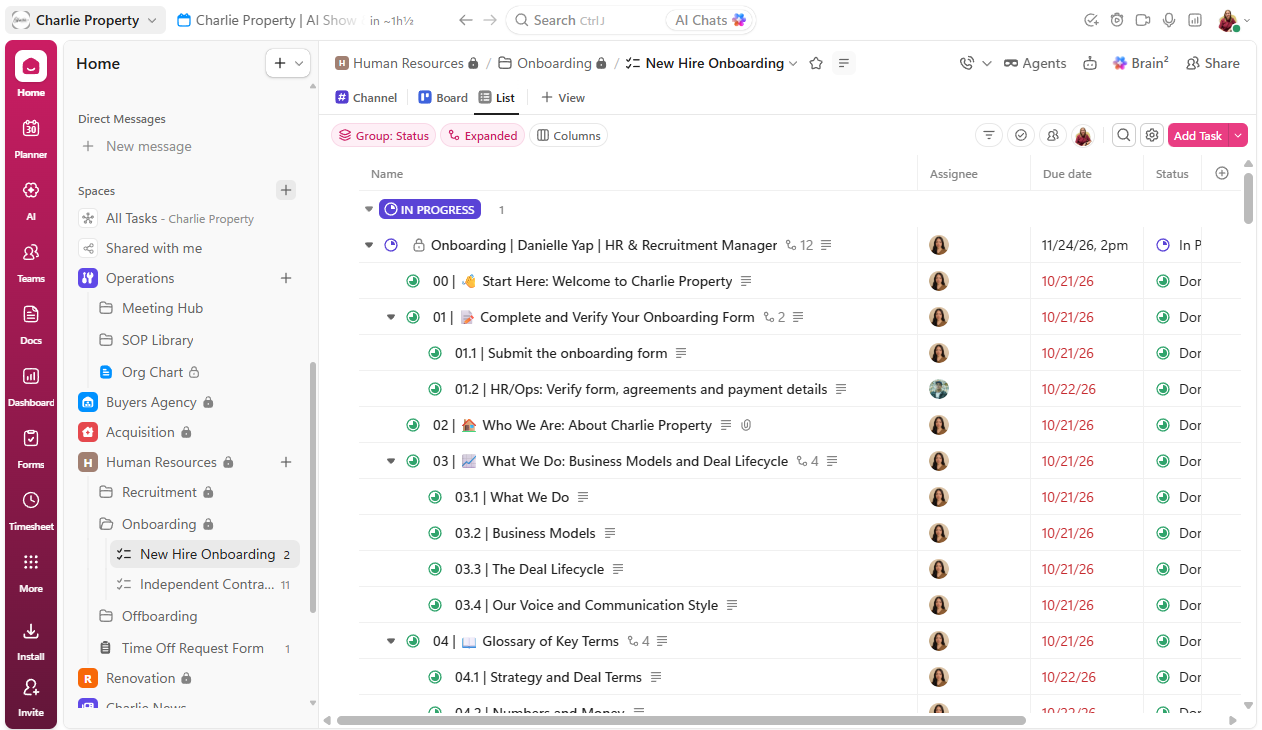
Every new team member goes through a structured onboarding process, with checklists, training materials and sign-offs all tracked in ClickUp. No more learning everything by sitting next to someone for a week!
You don't need 15 staff for this to work. I know someone who runs a marketing agency with 90 staff on ClickUp, and I know people running one flip on it. You could set up a free account tonight and do one project.
Here's what I'd copy first:
1. One Space per part of your business, not per person. Even if it's just you, split it into Finding, Renovating, Finance and Admin. You're building the shape of the business you want, not the one you have.
2. Give every task an owner, a date and a definition of done. Even if the owner is you. "Get quotes" is not a task. "Get three bathroom quotes to Ibbi by Friday" is.
3. Build your invoice flow before you need it. Three lists. To Approve, Approved, Paid. It'll save you a double payment one day, I promise.
4. Write the process down the second time you do it. Not the first, you don't know it yet. The second time, you do, and that's your SOP.
5. Get your tradies off WhatsApp. A Drive folder per project and "no photos, no payment" is the whole system. It took me two years to work that out.
Save this somewhere. When you're ready to go from one project to five, come back to it. The tools will be the same, you'll just have more people in the Spaces.
Next week I'll get into how we use Slack and Drive so nothing gets lost between the team.
And again, this is only going to money partners on my deals. It's not something I'm sharing publicly right now. If you've got a question about any of it, email me and I'll answer it in a future one.
Stay limitless 🚀
Charlie only takes on a small number of money partners per deal, so it stays the right fit for both sides.
Become a Money PartnerCharles Corby is the founder of Charlie Property. He built his career helping everyday investors grow wealth through smart property strategies, and now shares that experience through Charlie Property's education and investor communities.
Structured, transparent returns backed by real property. No surprises.
Learn How Return Works




We’ve always been the ones who see things as they could be, not as they are, the ones who step outside the crowd and back what others overlook.
Our strategy is simple but unique: we buy properties off market and under value, renovate them, and create clear profit through flips or flip-holds.
While there’s strong demand to partner on our projects, we keep it selective to ensure the right fit both ways.
And beyond the houses and the money, what really matters is building a strong network of like-minded people - a family, in property.
© All rights reserved 2026 charlieproperty.